

What is the Client ID?
The Client ID uniquely identifies your account/hotel in DialogShift and is used for integrations with partner companies.Where to find the Client ID
You can find the Client ID directly in the URL of the DialogShift App.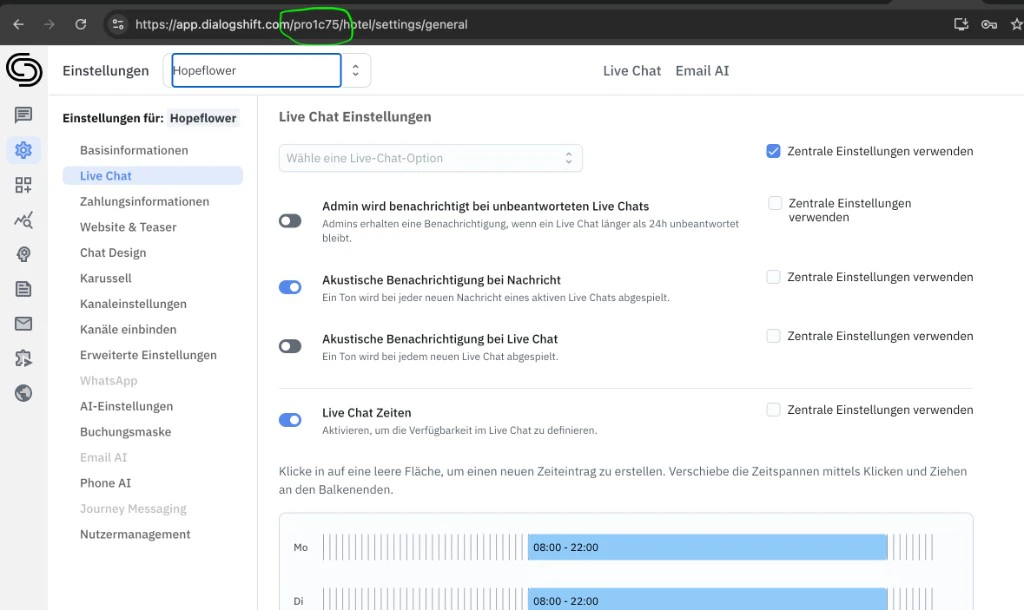
- starts with
pro - is followed by 4 letters or numbers
Example
If your URL looks like this:https://app.dialogshift.com/pro1c75/hotel/settings/general
Then the Client ID is:
pro1c75